Hexo Stellar 本文整理了一些 Stellar 主题常用的写作语法与美化,同时也对自己的文章创作做出一些规范
1、在博客根目录下新建文章
2、新建完成后进入 blog/source/_posts/ 中,xxx.md 就是本次我们要写作的文章内容
3、编辑 Front-matter,就是文件最上方以 --- 分割的区域。key: value 即 yaml 语法格式,冒号后都要带空格,这里给出一些常见参数,更多请参考:Stellar
配置选项
描述
title
文章标题,默认值为命令行指定的文件名
author
文章作者,默认值为根 _config.yml 中的 author
date
建立时间
updated
更新日期
description
用于指定显示在首页中的文章描述,不会在文章中出现
sticky
置顶(数字越大越靠前)
indent
段落是否缩进
categories
文章分类
tags
文章标签
cover
封面
banner
横幅,文章页面顶部区域显示长长的横幅图片
comments
开启文章的评论功能
如果只设置 cover 参数,则文章封面会显示 title 与 description 或者摘要,若想图片全显示,则加入 poster 参数,具体可看:文章封面
1
2
3
4
5
6
7
8
--- cover: poster: topic: headline: caption: color: ---
设置参考链接
1
2
3
4
5
--- references: - '[Stellar 每个人的独立博客](https://xaoxuu.com/wiki/stellar/#start)' - '[Hexo 文档](https://hexo.io/zh-cn/docs/)' ---
默认的一级标题是文章的 title,如果希望使用别的文字作为一级标题,可以指定 h1 字段:
分类与标签
1 2 3 4 --- categories: [设计开发 , iOS开发 ]tags: [iOS , 心率 ]---
在根目录下 scaffolds 文件夹中编辑 post.md 的 font-matter,既可使用 Hexo 自带模板实现命令行创建新文章时自动生成相关信息。
标题相关 hashtag 标签 hashtag 标签 :在文章的一级标题下,可以将本篇内容中的技术关键字,用 hashtag 标签高亮
Gitee Stellar 1 {% hashtag Gitee https://gitee.com/ color:red %}
quot 引用 quot 引用 :设置标题居中引用
写法如下,此外,加上 el:h2/h3/h4/h5/h6 可以作为标题使用
1 2 3 4 {% quot 我的第一篇博客 %} {% quot 热门话题 icon:hashtag %} {% quot 热门话题 icon:default %} {% quot 我的第一篇博客 el:h3 %}
这是一个 url 的示例
更多示例 1 2 3 {% quot prefix:solar:planet-bold-duotone 这是一个 icons.yml 配置的示例 %} {% quot prefix:https://api.iconify.design/line-md:moon-alt-to-sunny-outline-loop-transition.svg 这是一个 url 的示例 suffix:https://api.iconify.design/solar:list-heart-minimalistic-line-duotone.svg %}
图文并茂 文本修饰与操作 mark标记标签 :支持多彩文本标记,包括:默认 红 橙 黄 绿 青 蓝 紫 浅 深 警告 错误 一共 12 种颜色。
1 2 3 4 5 6 7 8 9 10 11 12 13 14 支持多彩文本标记,包括: {% mark 默认 %} {% mark 红 color:red %} {% mark 橙 color:orange %} {% mark 黄 color:yellow %} {% mark 绿 color:green %} {% mark 青 color:cyan %} {% mark 蓝 color:blue %} {% mark 紫 color:purple %} {% mark 浅 color:light %} {% mark 深 color:dark %} {% mark 警告 color:warning %} {% mark 错误 color:error %} 一共 12 种颜色。
note 备注块 note 备注块 :第一个空格前面的是标题 title,后面的是正文 content。如果标题中需要显示空格,请使用 代替。
一共支持12种颜色,可以满足几乎所有的需求了。
color 可设置 red、orange、yellow、green、cyan、blue、purple、light、dark、warning、error 几种取值。
1 {% note [title] content [color:color] %}
1 2 3 title: 标题(可选) content: 内容 color: red/orange/yellow/green/cyan/blue/purple/light/dark/warning/error
带标题的备注块
1 {% note 这 是一个带空格的标题 这里才是正文 呼啊! %}
copy 复制行 copy 复制行 :只适用于复制单行内容
1 2 3 4 5 {% copy curl -s https://sh.xaox.cc/install | sh %} {% copy curl -s https://sh.xaox.cc/install | sh prefix:$ %} {% copy git:https xaoxuu.com/hexo-theme-stellar prefix:HTTPS %} {% copy git:ssh xaoxuu.com/hexo-theme-stellar prefix:ssh %} {% copy git:gh xaoxuu.com/hexo-theme-stellar prefix:gh %}
文本修饰标签集 文本修饰标签集
这是 密码 标签
这是 下划线 标签
这是 着重号 标签
这是 波浪线 标签
这是 删除线 标签
这是 上角标 标签
这是 下角标 标签
这是 键盘样式 标签,试一试:⌘ + D
写法如下:
1 2 3 4 5 6 7 8 - 这是 {% psw 密码 %} 标签 - 这是 {% u 下划线 %} 标签 - 这是 {% emp 着重号 %} 标签 - 这是 {% wavy 波浪线 %} 标签 - 这是 {% del 删除线 %} 标签 - 这是 {% sup 上角标 color:red %} 标签 - 这是 {% sub 下角标 %} 标签 - 这是 {% kbd 键盘样式 %} 标签,试一试:{% kbd ⌘ %} + {% kbd D %}
button 按钮
探索 探索 探索 探索 探索 solar:hashtag-linear探索
探索 探索 探索 探索 探索 探索 探索 探索 探索 探索 探索 探索 探索 探索 探索 探索 探索 探索 探索 探索 探索 探索 探索 1 {% button 探索 https://xaoxuu.com/wiki/stellar/ icon:solar:documents-bold-duotone %}
1 2 3 4 5 6 7 8 9 text: 探索 url: color: orange icon: solar:planet-bold-duotone size: xs
icons.yml 1 2 3 4 5 6 7 8 9 10 11 12 13 14 15 16 17 18 19 20 21 22 23 24 25 26 27 28 29 30 31 32 33 solar:documents-bold-duotone solar:chat-square-like-bold-duotone solar:planet-bold-duotone solar:notebook-bookmark-bold-duotone solar:pin-linear solar:hashtag-linear default:goback default:search default:rss default:bookmark.active default:leftbar default:rightbar default:pin default:calendar default:category default:edit default:upup default:tocomment default:theme github:logo github:repo github:star github:fork github:tag share:wechat share:weibo share:email share:link ph:seal-question-fill
radio 单选 radio 单选
1 2 {% radio 没有勾选的单选框 %} {% radio checked:true 已勾选的单选框 %}
1 2 checked: true /false color: red/orange/yellow/green/cyan/blue/purple
checkbox 复选 checkbox 复选
1 2 3 4 5 {% checkbox 普通的没有勾选的复选框 %} {% checkbox checked:true 普通的已勾选的复选框 %} {% checkbox symbol:plus color:green checked:true 显示为加号的绿色的已勾选的复选框 %} {% checkbox symbol:minus color:yellow checked:true 显示为减号的黄色的已勾选的复选框 %} {% checkbox symbol:times color:red checked:true 显示为乘号的红色的已勾选的复选框 %}
1 2 3 checked: true /false color: red/orange/yellow/green/cyan/blue/purple symbol: plus/minus/times
navbar 导航栏 navbar 导航栏
文章内也可以插入一个导航栏:
1 {% navbar active:1 [文章](/) [项目](/wiki/) [留言](#comments) [GitHub](https://github.com/xaoxuu/) %}
poetry 诗词 poetry 诗词
游山西村
陆游
莫笑农家腊酒浑,丰年留客足鸡豚。山重水复疑无路,柳暗花明又一村。
1 2 3 4 5 6 7 8 {% poetry 游山西村 author:陆游 footer:诗词节选 %} 莫笑农家腊酒浑,丰年留客足鸡豚。 **山重水复疑无路,柳暗花明又一村。** 箫鼓追随春社近,衣冠简朴古风存。 从今若许闲乘月,拄杖无时夜叩门。 {% endpoetry %}
paper 纸张标签 paper 纸张标签
文言文
先帝创业未半而中道崩殂,今天下三分,益州疲弊,此诚危急存亡之秋也。然侍卫之臣不懈于内,忠志之士忘身于外者,盖追先帝之殊遇,欲报之于陛下也。诚宜开张圣听,以光先帝遗德,恢弘志士之气,不宜妄自菲薄,引喻失义,以塞忠谏之路也。
先帝深虑汉、贼不两立,王业不偏安,故托臣以讨贼也。以先帝之明,量臣之才,固知臣伐贼,才弱敌强也。然不伐贼,王业亦亡。惟坐而待亡,孰与伐之?是故托臣而弗疑也。
1 2 3 4 5 6 7 8 9 10 {% paper style:underline title:文言文 author:诸葛亮 date:三国 footer:节选 %} <!-- line left --> 出师表 <!-- paragraph --> 先帝创业未半而中道崩殂,今天下三分,益州疲弊,此诚危急存亡之秋也。然侍卫之臣不懈于内,忠志之士忘身于外者,盖追先帝之殊遇,欲报之于陛下也。诚宜开张圣听,以光先帝遗德,恢弘志士之气,不宜妄自菲薄,引喻失义,以塞忠谏之路也。 <!-- line right --> 后出师表 <!-- paragraph --> 先帝深虑汉、贼不两立,王业不偏安,故托臣以讨贼也。以先帝之明,量臣之才,固知臣伐贼,才弱敌强也。然不伐贼,王业亦亡。惟坐而待亡,孰与伐之?是故托臣而弗疑也。 {% endpaper %}
可选参数 1 2 3 4 5 style: underline/无 title: author: date: footer:
正文中可以设置行段落格式以显示不同的效果
1 2 3 4 5 6 7 8 <!-- section 小节标题 --> 小节标题,居中显示 <!-- paragraph --> 段落,首行缩进两个字符 <!-- line left --> 段落左对齐 <!-- line right --> 段落右对齐
reel 卷轴标签 reel 卷轴标签
滕王阁序
王勃
时维九月,序属三秋。
重九日
1 2 3 4 5 6 7 8 9 10 {% reel 滕王阁序 author:王勃 date:重九日 footer:节选 %} 时维九月,序属三秋。 潦水尽而寒潭清,烟光凝而暮山紫。 俨骖騑于上路,访风景于崇阿。 临帝子之长洲,得天人之旧馆。 层峦耸翠,上出重霄; 飞阁流丹,下临无地。 鹤汀凫渚,穷岛屿之萦回; 桂殿兰宫,即冈峦之体势。 {% endreel %}
可选参数 1 2 3 4 title: author: date: footer:
图文表现 emoji 表情 emoji 表情 :如下分别对应的表情为
表情速查表:Stellar内嵌blobcat小表情
1 2 3 4 {% emoji aini %} {% emoji blobcat ablobcatrainbow %} {% emoji blobcat ablobcatattentionreverse %} {% emoji tieba huaji %}
需要指定高度:
1 <center>{% emoji blobcat ablobcatrainbow height:1em %}{% emoji blobcat ablobcatrainbow height:2em %}{% emoji blobcat ablobcatrainbow height:3em %}{% emoji blobcat ablobcatrainbow height:2em %}{% emoji blobcat ablobcatrainbow height:1em %}</center>
icon 图标标签 icons.yml 中的图标:
写法如下 1 2 3 icons.yml 中的图标:{% icon solar:planet-bold-duotone %} 外链图标:{% icon https://api.iconify.design/solar:link-circle-bold.svg %} 指定颜色:{% icon ph:seal-question-fill color:purple %}
配置默认颜色 1 2 3 4 tag_plugins: icon: default_color: accent
image 图片标签 image 图片标签
1 {% image src [description] [download:bool/string] [width:px] [padding:px] [bg:hex] %}
1 2 3 4 5 6 src: 图片地址 description: 图片描述 download: href width: 200px padding: 16px bg: '#ffffff'
来自海南的 aurora. 使用 iPhone 13 拍摄。
1 {% image /images/photo/mmexport1689252462939.jpg 来自海南的 aurora. 使用 iPhone 13 拍摄。 download:true %}
如果是小尺寸的图片,请参考 小尺寸图片优化
在任意 image 标签中增加 fancybox:true 参数即可为特定图片开启缩放 功能
swiper 轮播容器 swiper 轮播容器
默认一张图片是 50% 宽度,通过设置 width:min 设置为 25% 宽度,width:max 设置为 100% 宽度。
注意,一个页面只能设置一次,第一个 swiper 容器的效果全局生效。写法如下:
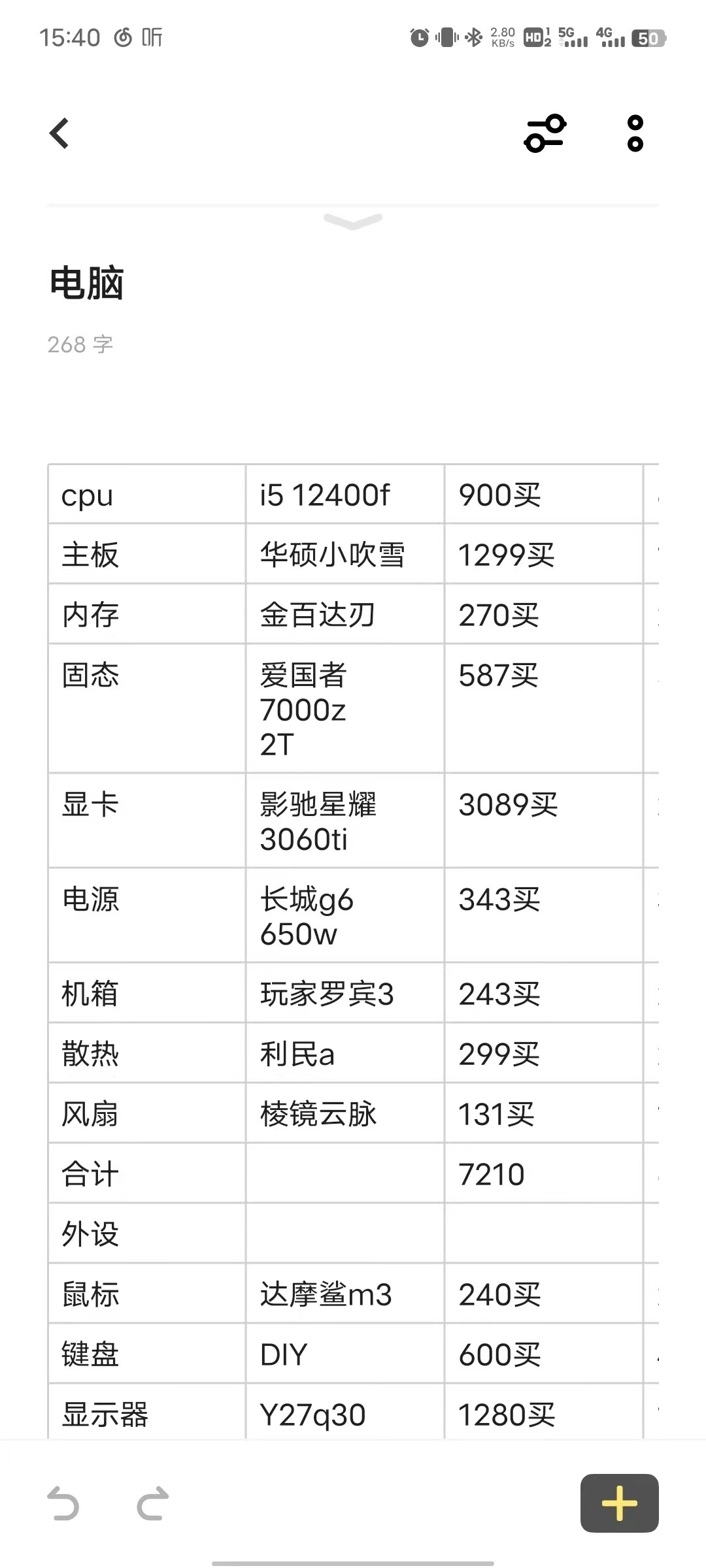
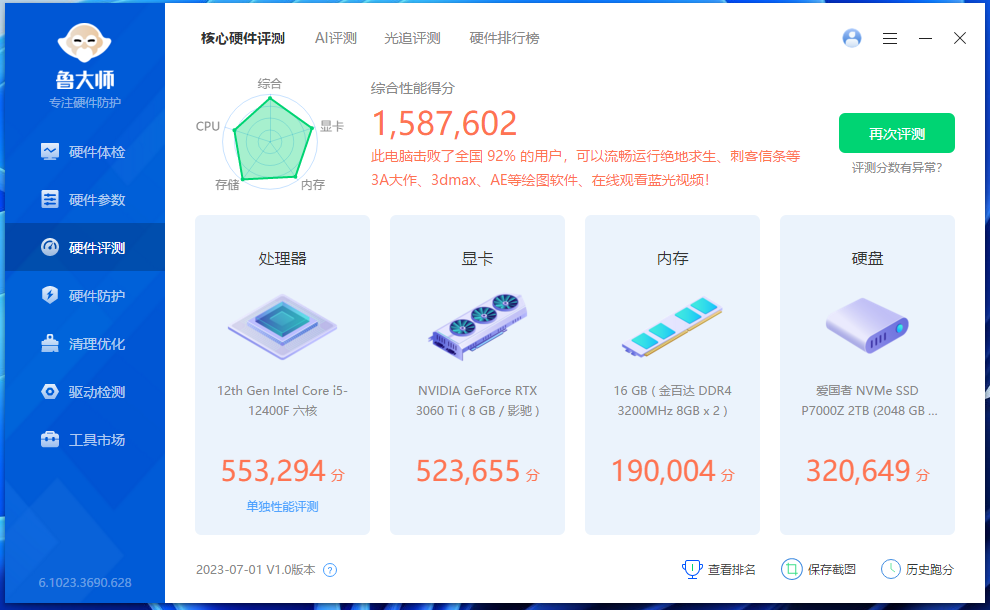
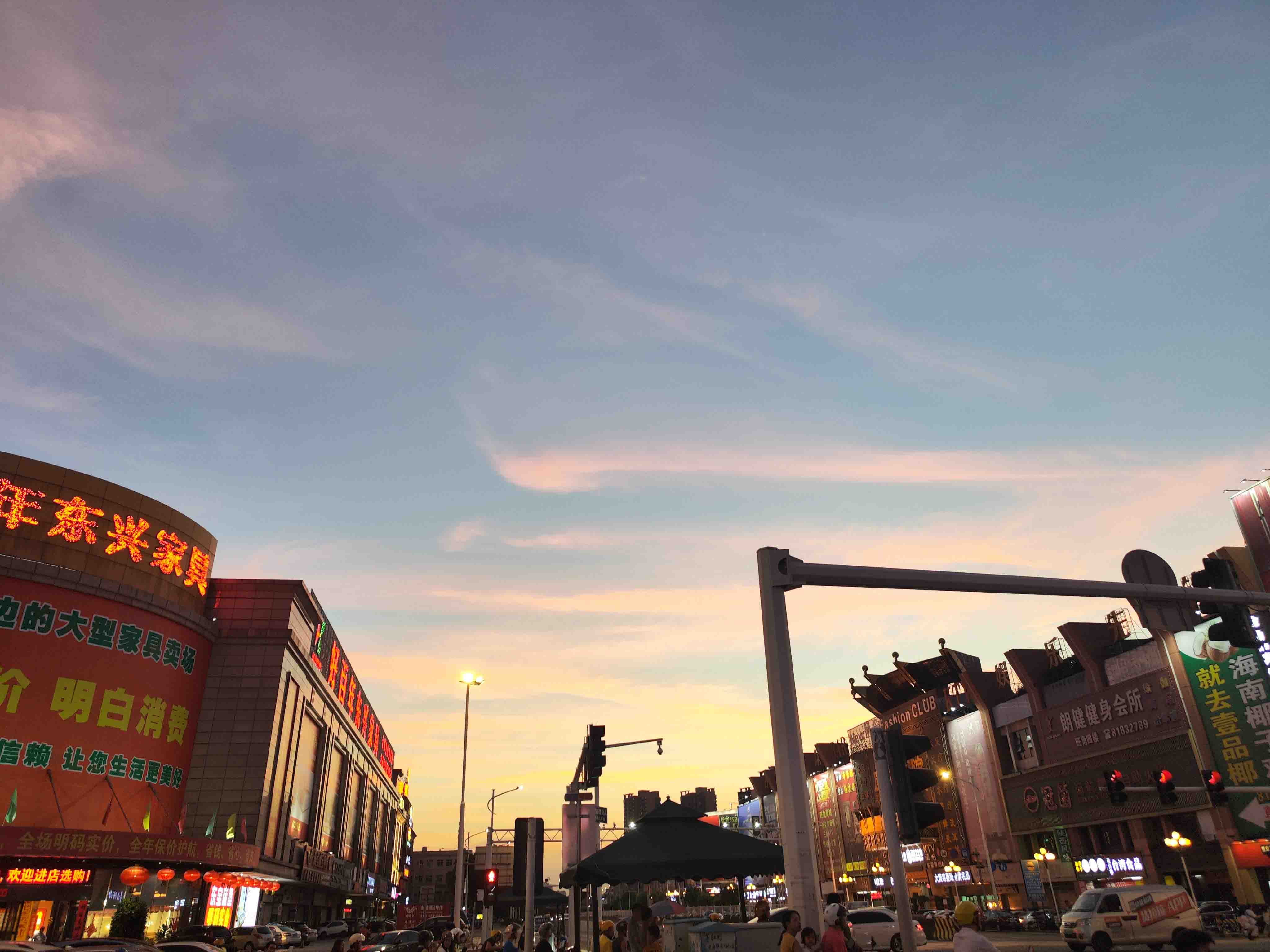
1 2 3 4 5 {% swiper effect:cards %} {% image /images/picture/20230711224927.jpg 配置图 width:200px padding:16px fancybox:true %} {% image /images/picture/20230711225321.png 跑分图 fancybox:true %} {% image /images/picture/20230711225337.png 参数图 fancybox:true %} {% endswiper %}
其他 audio 音频标签
Your browser does not support the audio tag.
1 2 3 4 5 {% audio https://github.com/volantis-x/volantis-docs/releases/download/assets/Lumia1020.mp3 %} {% audio netease:2140626391 %} {% audio type:2 netease:570340213 autoplay:0 %}
1 2 3 type: 2 /0 netease: xxx autoplay: 1 /0
link 链接卡片 link 链接卡片
1 2 3 {% link href [title] [icon:src] [desc:true/false] %} {% link https://xaoxuu.com/blog/20221029/ %}
参数含义:
1 2 3 4 href: 链接 title: 可选,手动设置标题(为空时会自动抓取页面标题) icon: 可选,手动设置图标(为空时会自动抓取页面图标) desc: 可选,是否显示摘要描述,为true时将会显示页面描述
静态时间线 静态时间线
今天除夕,也是生日,一个人在外地过年+过生日,熬夜开发新主题,尽量在假期结束前放出公测版。
1 2 3 4 5 6 7 {% timeline %} <!-- node 2021 年 2 月 16 日 --> 主要部分功能已经开发的差不多了。 {% image /images/photo/20230710192616.jpg width:300px %} <!-- node 2021 年 2 月 11 日 --> 今天除夕,也是生日,一个人在外地过年+过生日,熬夜开发新主题,尽量在假期结束前放出公测版。 {% endtimeline %}
okr 目标管理 okr 目标管理
O1
2024年的小目标:完成 Volantis 6.0 并发布上线
来自2025年的复盘:已《基本》实现目标
KR1
重构 tag-plugins 和 wiki 系统
当 KR 进度为 100% 时,标签默认显示为 已完成 当 KR 未设置进度时,默认为 0% 当 O 未设置进度时,则显示所有 KR 进度平均值
KR2
完成主要页面设计稿
您可以在 _config.yml 文件中修改标签的颜色和文案
您可以在 _config.yml 文件中增加任意的标签配置
KR3
完成前置准备工作(如果你知道答案,请在留言区帮帮我!🥹)
写法如下 1 2 3 4 5 6 7 8 9 10 11 12 13 14 15 16 17 18 19 20 21 22 23 24 25 26 27 28 29 30 31 32 33 {% okr o1 %} 2024年的小目标:完成 Volantis 6.0 并发布上线 来自2025年的复盘:已《基本》实现目标 {% emoji tieba huaji %} <!-- okr kr1 percent:1 --> 重构 tag-plugins 和 wiki 系统 - 当 {% mark KR %} 进度为 100% 时,标签默认显示为 {% mark color:green 已完成 %} - 当 {% mark KR %} 未设置进度时,默认为 {% mark 0% %} - 当 {% mark O %} 未设置进度时,则显示所有 {% mark KR %} 进度平均值 <!-- okr kr2 percent:0.9 status:off_track --> 完成主要页面设计稿 {% tabs align:left %} <!-- tab 小提示1 --> 您可以在 _config.yml 文件中修改标签的颜色和文案 <!-- tab 小提示2 --> 您可以在 _config.yml 文件中增加任意的标签配置 {% endtabs %} <!-- okr kr3 percent:-0.12 status:unfinished --> 完成前置准备工作(如果你知道答案,请在留言区帮帮我!🥹) {% checkbox 在咸水和海滩之间找一亩地 %} {% checkbox 求出圆周率后15位 %} {% checkbox 找出宇宙的终极逻辑 %} {% checkbox 去地狱里走两步 %} <!-- okr kr-4 status:at_risk --> 开发、测试和发布 {% image /images/footer/qq32.svg 支持嵌套插入图片等其它简单组件 %} {% endokr %}
善用容器 1 2 3 {% box [title] [color:color] [child:codeblock/tabs] %} ... {% endbox %}
box 盒子容器 box 普通块容器 :带标题,但是没有折叠项
因为原 noteblock 标签在升级到 hexo 6.0 之后跟官方库冲突了,官方一直没有解释原因,后不得不改名:#172
1 2 3 4 5 6 7 {% box Stellar v1.12.0 color:warning %} 因为原 noteblock 标签在升级到 hexo 6.0 之后跟官方库冲突了,官方一直没有解释原因,后不得不改名: noteblock -> grid -> border -> ablock 详情见:[#172](https://github.com/volantis-x/hexo-theme-volantis/issues/712) {% endbox %}
彩色代码块 彩色代码块 :设置 child:codeblock 并设置 color:颜色枚举 可以实现 10 种不同颜色的代码块,彩色代码块一般可以用在代码正确与错误的示范对比场景。
示例代码:
1 2 3 4 5 6 7 {% box color:red child:codeblock %} ```swift func test() -> () { // ... } ``` {% endbox %}
上文并排比较的代码示例:
1 2 3 4 5 6 7 8 9 10 11 12 13 14 15 16 17 18 19 20 {% grid %} <!-- cell --> 推荐的写法 {% box color:green child:codeblock %} ```swift func test() { // ... } ``` {% endbox %} <!-- cell --> 不推荐的写法 {% box color:red child:codeblock %} ```swift func test() -> () { // ... } ``` {% endbox %} {% endgrid %}
嵌套标签 嵌套标签
公司一般都会强制安装安防软件,这些软件要求开机自启动,要求有屏幕录制权限、完全的磁盘访问权限包括相册图库。因此如果使用自己的 MacBook 作为办公设备,必须要把生活区和工作区完全独立开,安装在两个磁盘分区,并且对磁盘分区进行加密。
1 2 3 4 5 6 7 8 9 10 11 12 13 14 {% box child:tabs %} {% tabs %} <!-- tab 图文混排 --> {% image /images/cover/xxx.6cyjbogyo1c0.webp 个人电脑作为办公设备时,我们该如何保护隐私? download:true %} 公司一般都会强制安装安防软件,这些软件要求开机自启动,要求有屏幕录制权限、完全的磁盘访问权限包括相册图库。因此如果使用自己的 MacBook 作为办公设备,必须要把生活区和工作区完全独立开,安装在两个磁盘分区,并且对磁盘分区进行加密。 <!-- tab 示例代码 --> ```yaml # 这里可以放代码块 ``` {% endtabs %} {% endbox %}
不想要切换功能的话,把 tab 标签相关的去掉就好
folding 折叠容器 folding 折叠容器
1 2 3 {% folding title [codeblock:bool] [open:bool] [color:color] %} content {% endfolding %}
1 2 3 codeblock: true /false open: true /false color: red/orange/yellow/green/cyan/blue/purple/light/dark
彩色可折叠容器
默认打开的代码折叠框
1 2 3 func test ( print ("hello world" ) }
代码如下:
1 2 3 {% folding child:codeblock open:true color:yellow 默认打开的代码折叠框 %} 代码块 {% endfolding %}
默认打开的折叠框
代码如下:
1
2
3
4
5
{% folding child:tabs open:true color:blue 默认打开的折叠框 %} 请不要打开这个 {% endfolding %}
folders 多个折叠容器聚合 folders 多个折叠容器聚合
示例代码:
1 2 3 4 5 6 7 8 9 10 11 12 {% folders %} <!-- folder 题目1 --> 这是答案1 <!-- folder 题目2 --> 这是答案2 <!-- folder 题目3 --> 这是答案3 {% endfolders %}
tabs 分栏容器 tabs 分栏容器
1 2 let x = 123 print ("hello world" )
1 2 3 4 5 6 7 8 9 10 11 12 13 14 15 16 17 18 19 20 {% tabs active:2 align:center %} <!-- tab 图片 --> {% image /images/cover/xxx.6cyjbogyo1c0.webp width:300px %} <!-- tab 代码块 --> ```swift let x = 123 print("hello world") ``` <!-- tab 表格 --> | a | b | c | | ---- | ---- | ---- | | a1 | b1 | c1 | | a2 | b2 | c2 | {% endtabs %}
使用 align:center 可以让内容居中
设置默认展示的标签方式为 active:1
grid 网格分区容器
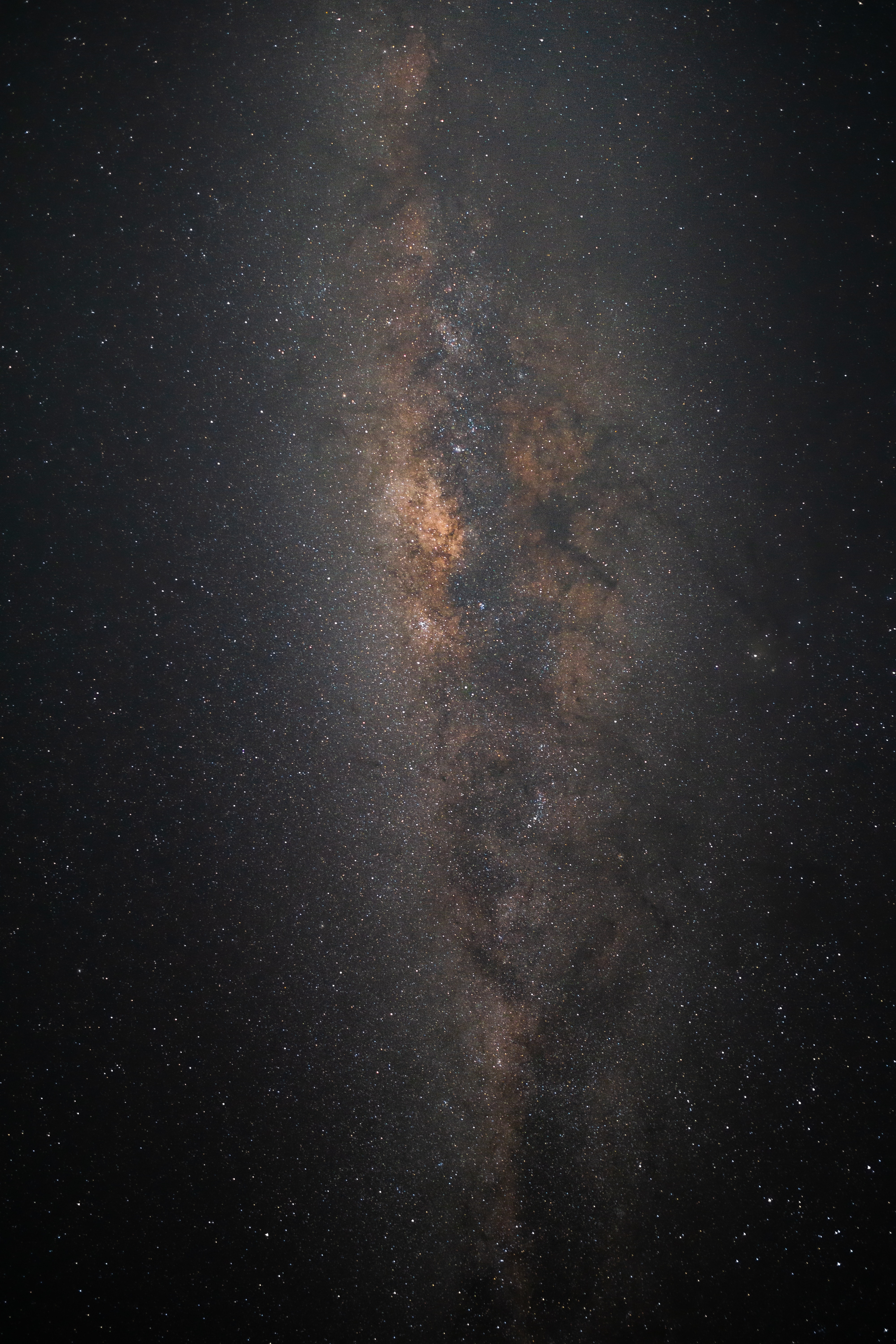
Unsplash Photo
The Galactic Center is the rotational center of the Milky Way galaxy. Its central massive object is a supermassive black hole of about 4 million solar masses, which is called Sagittarius A*. Its mass is equal to four million suns. The center is located 25,800 light years away from Earth.
Ōwhiro Bay, Wellington, New Zealand
bg 为可选参数,默认没有背景,可设置为 box/card 两种样式,分别为普通块/卡片样式。更多用法:grid 网格分区容器
示例代码 1 2 3 4 5 6 7 8 9 10 11 12 13 14 15 16 17 {% grid %} <!-- cell --> {% image /images/picture/luca-calderone-bcql6CtuNv0-unsplash.jpg download:https://unsplash.com/photos/bcql6CtuNv0/download?ixid=MnwxMjA3fDB8MXx0b3BpY3x8NnNNVmpUTFNrZVF8fHx8fDJ8fDE2Njg4NDAxMDI&force=true ratio:4000/6000 %} <!-- cell --> **[Unsplash Photo](https://unsplash.com/photos/bcql6CtuNv0)** The Galactic Center is the rotational center of the Milky Way galaxy. Its central massive object is a supermassive black hole of about 4 million solar masses, which is called Sagittarius A*. Its mass is equal to four million suns. The center is located 25,800 light years away from Earth. > Ōwhiro Bay, Wellington, New Zealand > Published on May 31, 2022 > SONY, ILCE-6000 > Free to use under the Unsplash License {% endgrid %}
社交 friends 友链 friends 友链
blog/source/_data/links/blog.yml 1 2 3 4 5 - title: XAOXUU url: https://xaoxuu.com/ cover: https://bu.dusays.com/2022/10/23/63542895cfd29.png icon: https://bu.dusays.com/2021/09/24/2f74810ceb3d3.png description: XAOXUU 目前是一个 iOS 开发者,代表作品有:ProHUD、ValueX 等。在业余时间也开发了 Stellar 博客主题,更多的作品可以去项目主页查看,希望大家喜欢~
在需要用到的地方:
sites 网站卡片 sites 网站卡片
blog/source/_data/links/study.yml 1 2 3 4 5 - title: 阮一峰的个人网站 url: https://ruanyifeng.com/ cover: icon: https://ruanyifeng.com/favicon.ico description: 写一点读书笔记
在需要用到的地方(同友链):
渲染外部 markdown 文件 md 渲染外部 markdown 文件
1 2 3 {% folding %} {% md https://raw.github.xaox.cc/xaoxuu/hexo-theme-stellar/main/README.md %} {% endfolding %}
ghcard 卡片 ghcard 卡片
写法如下 1 2 {% ghcard xaoxuu %} {% ghcard xaoxuu/hexo-theme-stellar theme:dark %}
banner 横幅容器 banner 横幅容器
用于独立页面顶部
写法如下 1 2 3 {% banner 随记 bg:https://res.xaox.cc/gh/cdn-x/xaoxuu@main/posts/20250706164631268.webp %} {% navbar active:/notes/ [随记](/notes/) [收藏](/bookmark/) %} {% endbanner %}
用于用户个人资料页
写法如下 1 2 {% banner 某某 这是个人简介 avatar:https://res.xaox.cc/gh/cdn-x/xaoxuu@main/avatar/classic.webp bg:https://res.xaox.cc/gh/cdn-x/xaoxuu@main/posts/20250706163949681.webp %} {% endbanner %}
用作文章摘要卡片 博客进阶:自动化部署
本文讲了如何利用脚本和 GitHub Actions 简化博客搭建和部署流程,提高效率。
1 2 {% banner 博客进阶:自动化部署 本文讲了如何利用脚本和 GitHub Actions 简化博客搭建和部署流程,提高效率。 bg:https://res.xaox.cc/gh/cdn-x/xaoxuu@main/posts/20250706160404696.webp link:/blog/20221126/ %} {% endbanner %}
Stellar更新日志
专有名词前后都要带空格,在特殊标签内使用除外;链接通常也建议前后带空格
图片目录:blog/source/images
书写完毕后,通读一下博客,检查通顺,语义是否清楚
在标题上方或者下方使用分割线,具体视情况而定
无论想到什么,先用手机写到备忘录里,当做随想,然后用电脑写作,将随想连贯起来,通读一遍,接着再用主题来美化,插入图片。有些时候会有很深刻的感慨,而让人害怕的就是感慨之后冲动之余却提笔忘字。通过文字和照片抵抗遗忘,当下的记录是为了增援未来的自己
不强迫自己写作,不定目标,一切只是为了分享记录。微信和QQ不适合发的,在这里都能尽情呈现
 这是一个 url 的示例
 探索
探索
 探索
探索
 探索
探索
 探索
探索
探索
探索